More reliable streaming Less operational effort
FOCUS discovers unusual playback patterns, investigates them automatically and notifies the responsible team when an Incident needs attention.
Across apps, devices, content and delivery. Start with suitable CDN logs, without a proprietary player SDK.
From data to action
Start with your CDN logs
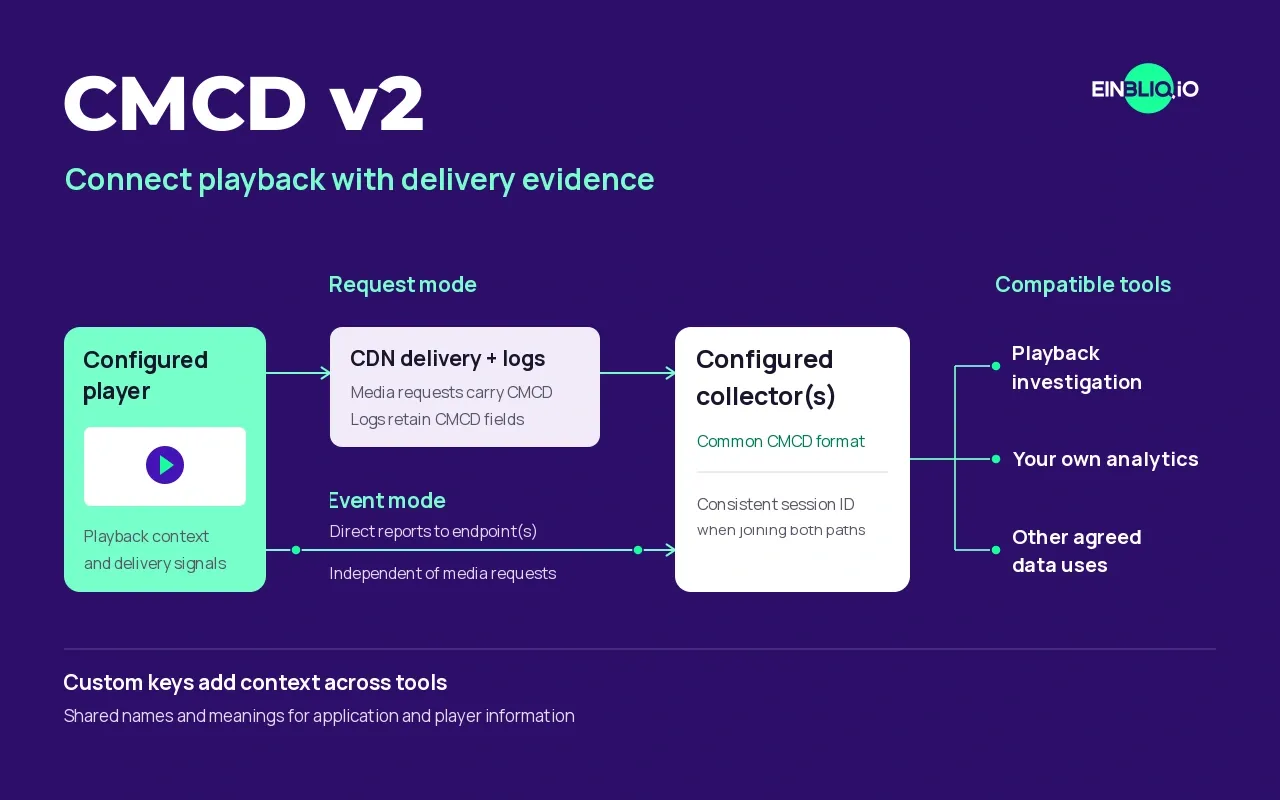
SPECTRA reconstructs playback sessions from suitable CDN logs. CMCD adds player-reported context where available.
Get Incidents to the right team
Configure feeds to deliver validated Incidents as Alerts or Tickets through email, Slack, Teams or Jira.
Find the issue hidden inside the average
An average can hide problems affecting a particular group. FOCUS discovers these patterns as Signals and investigates each one. In the audio example, failed secondary-language audio requests and matching player errors establish an Incident affecting HLS web playback.
Signal discovery Investigation Incident validation Alert or Ticket to the responsible team
Follow the audio investigation
Discover the Signal
FOCUS discovers an unusual playback pattern in a cohort using the same HLS stream and web player.
The shared playback path gives the agents a specific Signal to investigate.
HLS web playback Secondary audio
An investigation scope, identified from what the affected sessions have in common.
Investigate those sessions
Agents connect failed secondary-language audio requests with matching player errors and the affected session sequence.
The evidence supports an actionable Incident. The report identifies the audio path and prepares proposed next steps for Streaming Operations.
Secondary-audio playback failure
- Signal
- Unusual playback failures in one HLS web-player cohort
- Request evidence
- Secondary-language audio segments return HTTP 404
- Playback impact
- Matching player errors and interrupted playback in affected sessions
- Incident assessment
- An actionable failure on the secondary-audio path
- Proposed next steps
- Restore secondary audio and verify HLS web playback
- Handoff
- Streaming Operations, through the configured Alert or Ticket feed
Illustrative Incident report using a generalised audio example. No customer data. What the CDN log evidence adds
Concrete log records for affected sessions give the responsible team the requests to inspect: which segment was requested, where it was served, its HTTP status and its transfer timing, where those fields are available.
The product view above illustrates the linked evidence using a generalised audio example.
Deliver the Incident as an Alert or Ticket
Customer-configured feeds deliver the Incident summary, evidence and proposed next steps. Your team decides which operational change to make.
See how Incident routing works- Route to
- Streaming Operations, with packaging and web-player owners according to your feed configuration.
- Evidence in this example
- Secondary-audio requests returning 404, matching player errors and the linked playback sequence.
- Proposed next steps
- Restore secondary audio and verify HLS web playback.
Verify the recovery
After the team applies a fix, examine new sessions on the same audio and web-player path. Check that audio requests succeed and playback continues without the earlier errors.
The same playback path Check recovery
- Check audio delivery
- Check playback errors
Compare new sessions on the previously affected playback path.
More reliable streaming
Issues that could stay hidden are found, addressed and checked against playback data.
Less operational effort
Less manual investigation. Concrete evidence helps the responsible team get to a fix faster.
Built for your streaming operations
Broadcasters & Streaming Services
Find hidden playback problems and coordinate fixes across apps, content and delivery providers.
Telco TV & Video
Investigate quality across the apps, devices and delivery paths of your TV and video services.
CDNs & Infrastructure Platforms
Connect delivery behaviour with viewer impact, for your operations or customer offering.
Start with a focused proof of concept
Agree the first scope, connect the relevant data and evaluate the findings with your team. Expand from there, with optional professional services for issue follow-up and longer-term improvements.